The ultimate media player for your IPTV playlists. Seamless hardware acceleration, instant channel zapping, smart EPG guide, and effortless QR pairing with your smartphone.
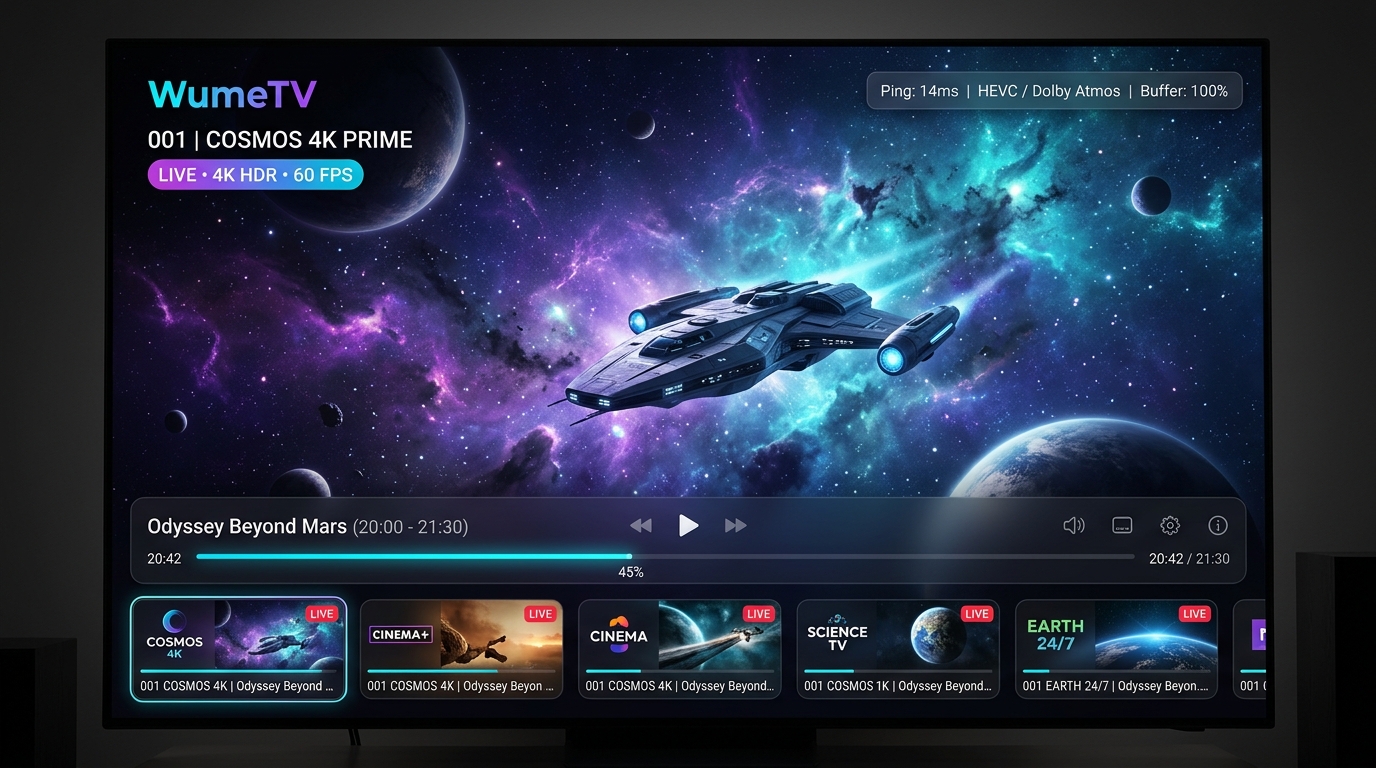
Explore the clean, intuitive interface of WumeTV across Android TV and mobile devices.
Cinema 4K Live HUD: Hardware-accelerated ExoPlayer with live stream ping diagnostics, audio codec passthrough, and timeline scrubber.
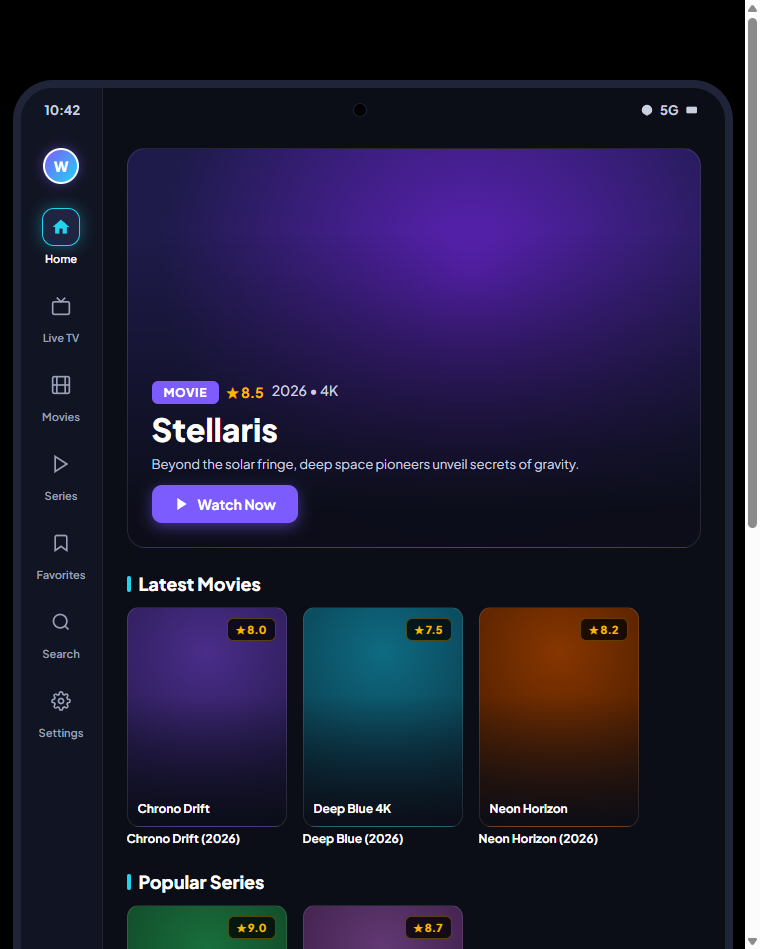
Android Mobile Companion & VOD: Native Android layout with quick left-rail access, punch-hole display optimization, trending movies & series, and instant QR sync.
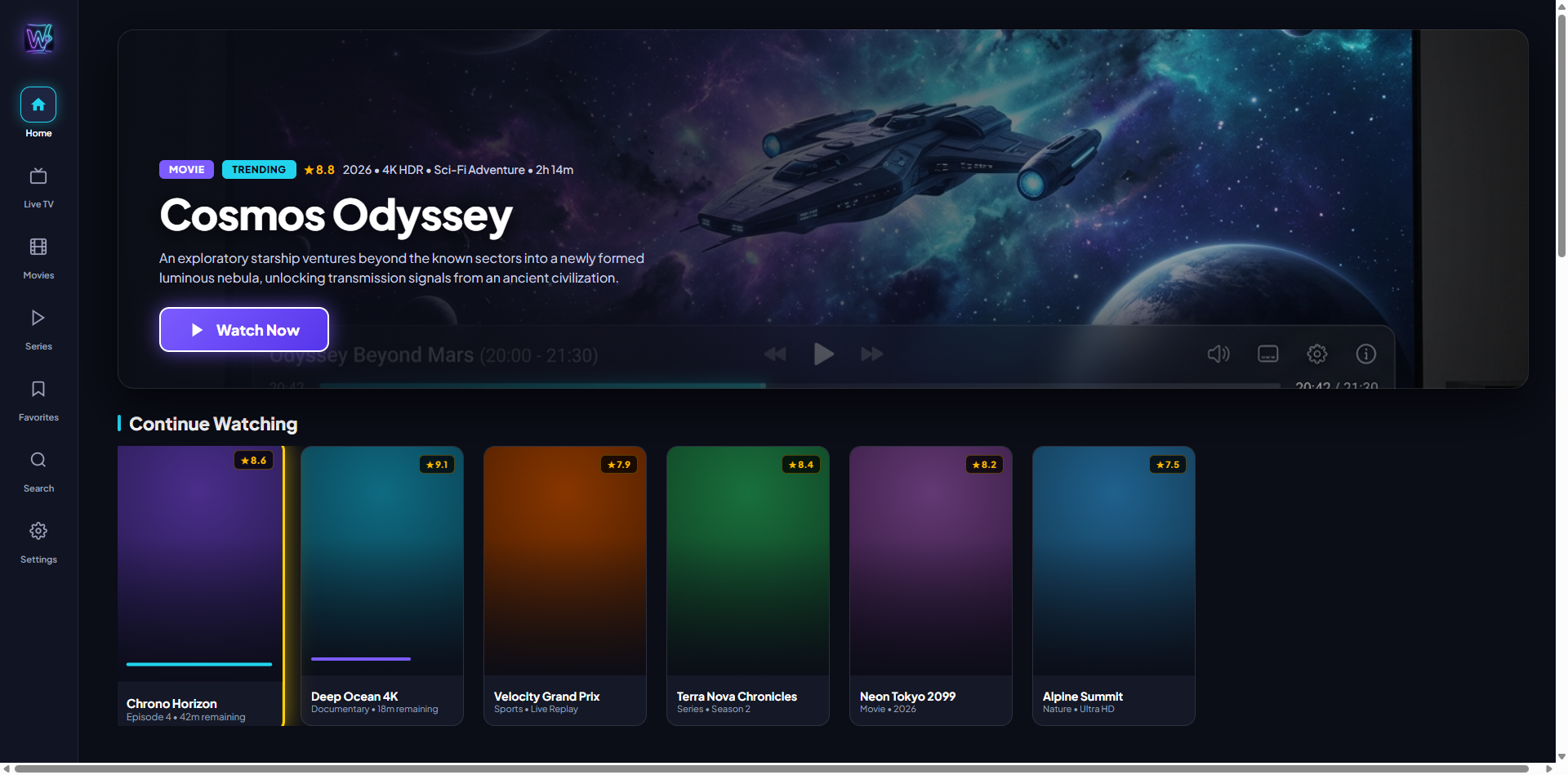
Android TV Leanback Home: Optimized for TV remotes with zero-lag D-pad focus, categorized channels, and quick continue-watching rows.
Designed specifically for Android TV remote controls and high-refresh-rate mobile displays.
Powered by customized ExoPlayer engine with support for H.264, HEVC/H.265, AV1, and multi-channel Dolby/DTS audio passthrough.
Watch up to 4 live sports games or news broadcasts simultaneously on your TV with 1x2, 2x1, 1+2, and 2x2 grid layouts.
Synchronizes your TV display refresh rate to the native video stream (24p/50Hz/60Hz) for silky smooth, judder-free motion.
Rich electronic program guide with XMLTV schedule matching, timeline scrubber, and 7-day replay on archive-supported channels.
Merges duplicate 4K, 1080p, 720p, and multi-language streams into a single clean poster card with an in-player stream picker.
Download your favorite movies and series episodes directly to your Android smartphone or tablet to watch on flights or trips.
Compare every capability across all 7 categories. See why IPTV power users choose WumeTV Pro.
| Feature & Capability |
Free Tier
Standard Player
|
WumeTV Pro
All Features Unlocked
|
|---|
Tired of typing long IPTV usernames and passwords with an awkward TV remote? With WumeTV QR Sync, scan your TV screen with your smartphone camera and your credentials, playlists, and settings transfer securely.
Plans are fetched live from Firestore. Subscribe securely in the app via Google Play or redeem your voucher code.
Our team is here 24/7. Submit a support ticket below or from the WumeTV app settings.
Everything you need to know about WumeTV and streaming on your favorite devices.
Fast, safe & encrypted via Google Play Billing on your device
Launch WumeTV on your Android TV, Firestick, or phone.
Select the Crown icon or open Settings > WumeTV Pro.
Subscribe directly via Google Play or enter a promo voucher code.
Available for Android TV, Google TV, Fire TV, and Android phones
Open the Downloader app on your Firestick or TV and type this code: